
Group Therapy Attendance, Participant Billing, Superbills, and Claims
How one PracticeRunner therapy-group appointment handles participant attendance, separate invoices, superbills, documentation, and the current CMS-1500 claim boundary.
PracticeRunner keeps an ongoing therapy group as one persistent case, with one roster and one appointment for each meeting. Attendance, documentation, and billing can still be handled at the participant level.
The current workflow can create separate participant invoices and participant superbills from one group appointment when the case bills each participant separately. It does not currently turn one group appointment into a separate CMS-1500 claim for every attendee. The claim workflow remains centered on one identified client and that person’s insurance information.
This article describes that boundary precisely.
Before the group meets
Set up the group as a Therapy group case, then:
- Add the active participants to the group roster.
- Choose participant-specific billing when each member or the member’s billing contact should receive a separate invoice.
- Assign the appropriate billing contact for each participant when someone else is responsible for payment.
- Choose an insurance-eligible service and review its billing details.
- Add the service code used by the practice. For group psychotherapy this may be CPT 90853 when that code is clinically and contractually appropriate.
PracticeRunner stores the configured service code. It does not decide whether 90853 or another code is appropriate, whether the service is covered, or whether a payer will reimburse it. Confirm coding, documentation, authorization, and billing requirements with the applicable payer or billing professional.
Use one group appointment
Schedule one appointment for the therapy-group case. The appointment begins with the active group roster attached.
This preserves two different facts:
- the roster records who belongs to the ongoing group
- attendance records what happened for each participant at this meeting
One participant can miss a session without canceling the appointment for everyone else.
Record attendance before creating billing documents
Open the appointment or Session Workspace and set each participant’s attendance status. Available statuses include Show, No Show, Late Canceled, Planned Absence, and cancellation statuses.
Record attendance before creating invoices or superbills. Once a participant is attached to a billing document, PracticeRunner locks that participant’s attendance for the appointment so the billing record and attendance history do not drift apart.
The automated billing paths distinguish the statuses:
- Show, No Show, and Late Canceled can be treated as billable participant statuses for participant AutoPay and billing reports.
- Only Show is eligible for participant superbills.
- Planned Absence and cancellation statuses do not enter those automated billable participant paths.
Whether a no-show or late cancellation should be charged depends on the practice’s financial agreement, applicable rules, and payer requirements. A charge does not automatically make a service insurance-reimbursable.
Document the group and any participant-specific details
The appointment has one shared progress note for the group session. When the shared note needs an individual addition, the clinician can add a participant progress-note addendum for the appropriate person.
Use the shared note for group-level documentation. Use participant addenda only for details that need to remain connected to a specific participant. Review access, disclosure, and documentation requirements for the practice before deciding what belongs in either place.
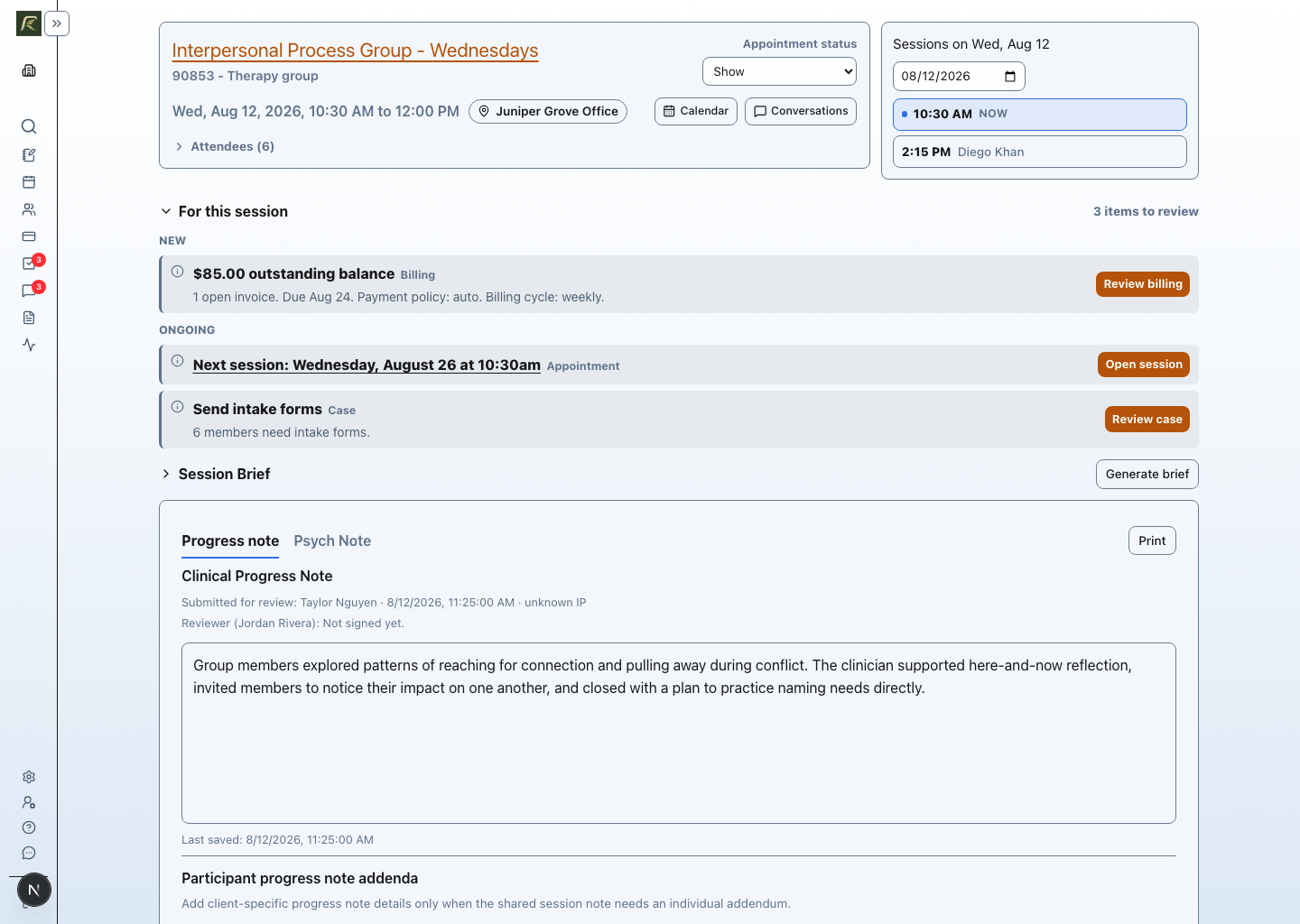
Create separate participant invoices
When the group uses participant-specific billing, PracticeRunner links the same group appointment to a separate invoice record for each billable participant or that participant’s assigned billing contact.
The practical result is:
- The group remains one case and the meeting remains one appointment.
- Each participant retains an individual attendance record.
- Each billable participant can receive a separate invoice for the configured session fee.
- Payment links, saved payment methods, receipts, and follow-up stay with the participant’s billing contact.
- Batch invoicing can create invoices for the applicable participants over the selected date range.
Review the attendance and billing arrangement before generating a batch. Participant-specific billing is different from placing the full group charge on one shared invoice.
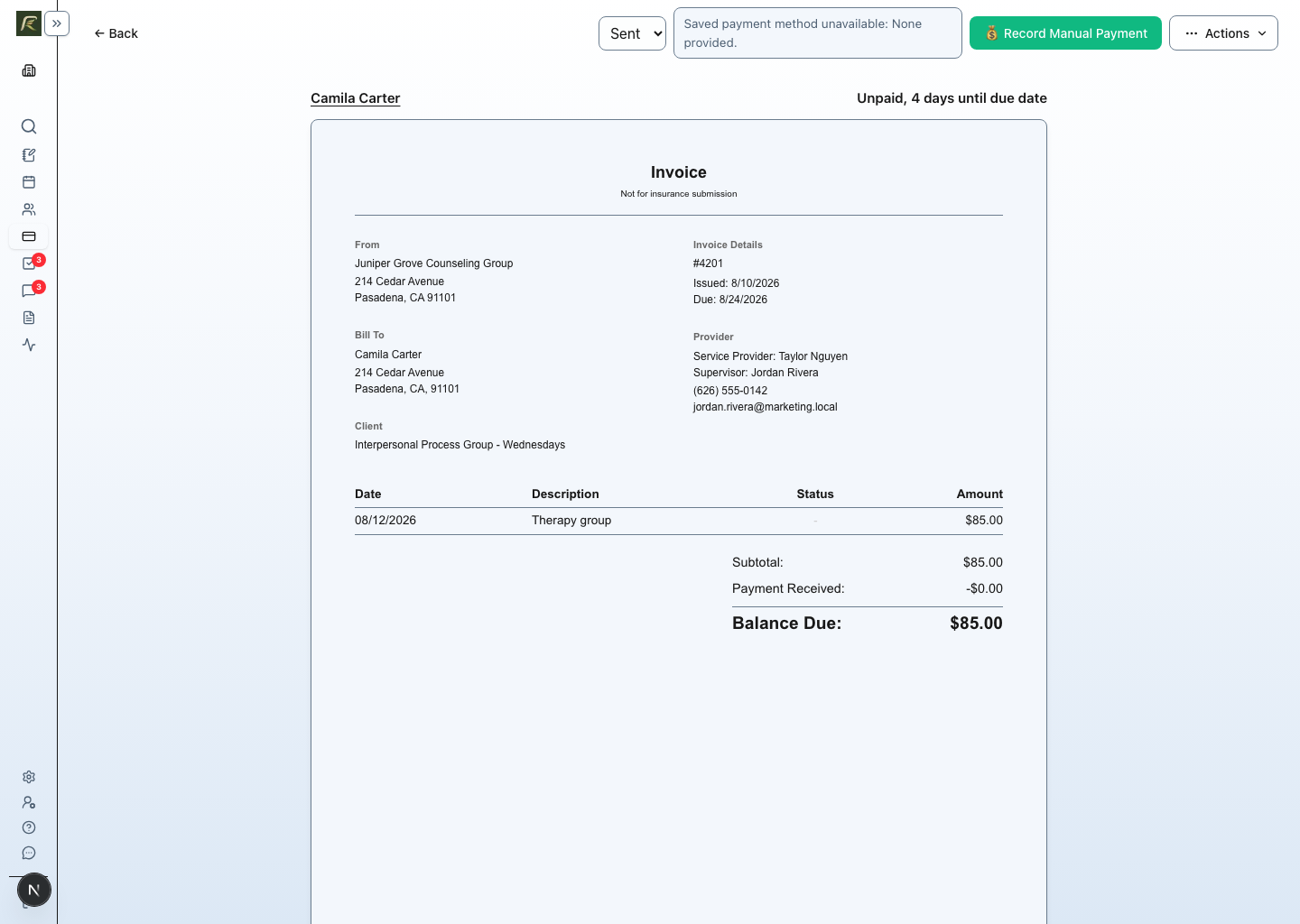
Create participant superbills
For a therapy group that bills each participant separately, PracticeRunner can create a superbill for an attended participant when:
- the participant’s attendance is Show
- the related participant invoice is paid
- the service is approved for superbills and includes the required billing details
- the participant has the insurance and diagnosis information needed for the document
- the practice’s plan and billing settings include superbills
The superbill remains specific to that participant. A no-show, late cancellation, planned absence, or canceled attendance record is not included as an attended service on a participant superbill.
Current CMS-1500 claim boundary
PracticeRunner’s CMS-1500 workflow currently prepares claim forms for one identified client in a case. It uses that person’s demographics, insurance, diagnoses, and the eligible attended appointments selected for the claim.
An eligible claim line must have:
- an attended appointment status
- a positive fee
- a reviewed service with a CPT code
- permission for that service to appear on CMS-1500 forms
- the required identified-client, insurance, diagnosis, provider, and location details
PracticeRunner can split more than six service lines across multiple CMS-1500 forms and can separate forms when claim details differ. That split concerns service lines for the same identified client. It is not a participant fan-out workflow.
PracticeRunner does not currently take one therapy-group appointment and automatically create six or eight separate CMS-1500 claims, one for every attendee. A group case with several members must have one identified client before the current claim composer can prepare a claim, and an appointment cannot simultaneously belong to active claims for several different participants.
If every group participant needs a separate insurance claim, review the clinical, contracting, documentation, and payer requirements before choosing the operational structure. The current participant-specific invoice and superbill workflow should not be described as automated participant-level CMS-1500 claim generation.
What happens when someone is absent
Do not remove an absent participant from the ongoing group roster merely to document one missed meeting. Keep the roster intact and change that participant’s attendance for the appointment.
Then apply the practice’s policy:
- Planned absence or cancellation: keep the attendance record and do not include it as an attended superbill service.
- No show or late cancellation: the status can remain billable for an invoice or AutoPay when the practice policy allows, but it is not an attended superbill service and should not be represented as one.
- Show: the participant can proceed through participant invoicing, payment, and superbill workflows when the other requirements are met.
What PracticeRunner automates today
| From one therapy-group appointment | Current behavior |
|---|---|
| Persistent group roster | Yes |
| Participant-level attendance | Yes |
| Shared group progress note | Yes |
| Participant progress-note addenda | Yes |
| Separate participant invoices | Yes, when participant-specific billing is configured |
| Separate participant payment arrangements | Yes |
| Separate participant superbills | Yes, for eligible attended participants with paid invoices |
| Separate CMS-1500 claims for every attendee | No, not automatically from one group appointment |
| Electronic claim submission or automatic payer responses | No |